

ServiceNow AI agent inventory: build a risk register for Now Assist agents
Learn how a ServiceNow AI agent inventory centralises owners, data access, autonomy, risks, controls, reviews, and lifecycle governance for enterprise AI agents.
Read more →Lansweeper discovers every asset in your estate. HaloITSM runs your incidents, requests, changes and SLAs. SMC Consulting connects the two so the HaloITSM CMDB is filled and refreshed automatically, with the CI model, reconciliation rules and governance that keep it trustworthy.
















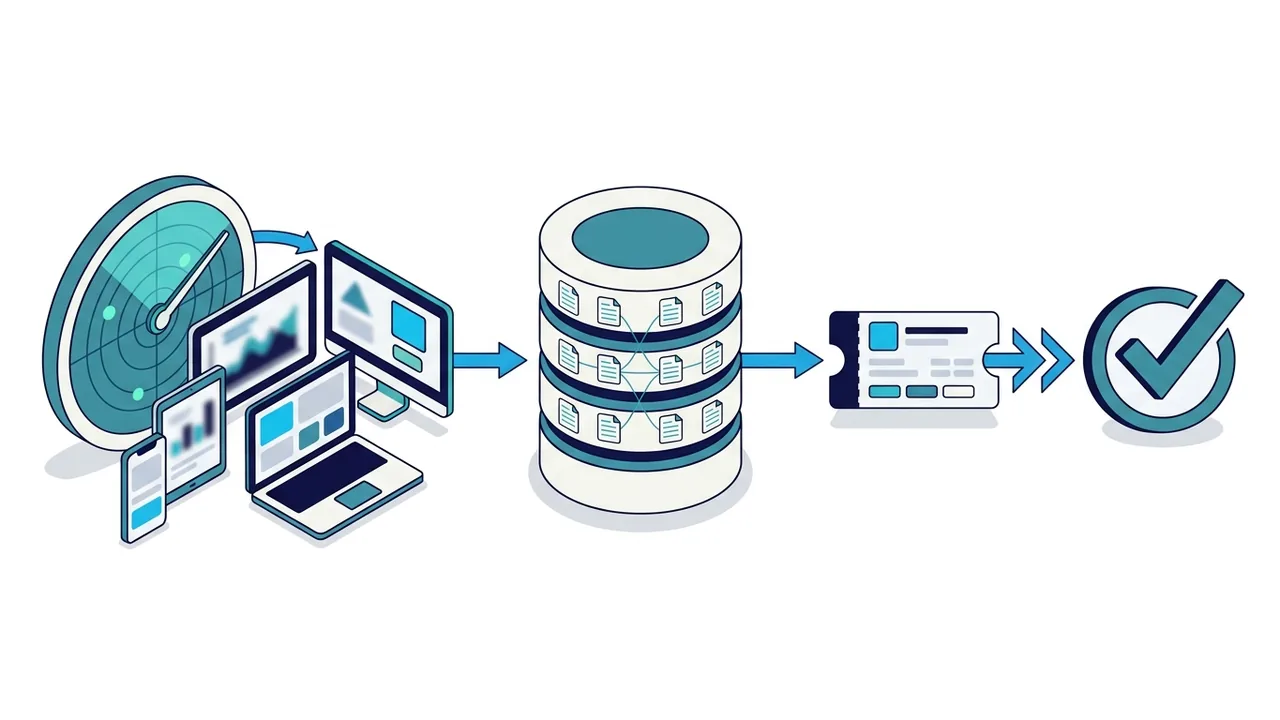
Lansweeper scans your network, cloud tenants and endpoints and maintains a normalised inventory: devices, installed software, users, warranties, IP addresses and network topology. Through the native HaloITSM–Lansweeper integration, that inventory is synchronised into HaloITSM asset and configuration item records on a schedule you control. We configure the synchronisation so that new assets are created, existing ones updated and retired ones flagged rather than deleted. No manual import, no spreadsheet.
The integration itself is a connector. What makes it useful is the model around it: which asset types become which CI classes, which source wins when Intune or a purchasing tool also describes the same laptop, which relationships must exist for impact analysis to work, and who reviews data quality after go-live. That is what SMC Consulting designs and configures.
New to HaloITSM? Start with our HaloITSM overview and CMDB in HaloITSM pages. Evaluating discovery tools? See why we chose to partner with Lansweeper.
Only the fields you map leave Lansweeper: hardware model and serial number, installed software and versions, warranty and purchase dates, last logged-on user, IP address and location. Sensitive fields stay out of the CMDB unless you decide otherwise. The mapping is documented and versioned, so adding a CI class or a new site later is a controlled change, not a surprise.
Governance decides whether the integration still works a year later. We name an owner for each CI class, agree how often coverage and freshness are reviewed, and define what happens when a device disappears from the scan: flagged for review, not silently deleted. Where several teams maintain the same data, we set out who may edit which attribute in HaloITSM and which fields are read-only because Lansweeper owns them. That division of labour is what keeps the CMDB trustworthy once the project team has moved on. On your side the effort is modest but real: a named data owner per CI class, read access to the Lansweeper console, a HaloITSM test instance, and two or three workshop half-days spread over the project. Everything else sits with us.
Lansweeper and HaloITSM are two of the products we supply and support. The same asset data gives you the asset inventory that NIS2 compliance expects, and for Kubernetes workloads and their dependencies we add cloud CMDB and dependency mapping.
Source for the connector set-up: Halo's integration guides.
HaloITSM is our primary ITSM practice: implementations, migrations and CMDB programmes for mid-market and enterprise clients in Belgium, France and Luxembourg.
We sell and deploy Lansweeper under the Solution Partner Agreement, so discovery scope, licensing and integration are handled by one team.
20 years of ITSM projects with ITIL v4-certified consultants who have built CI models that survive audits and reorganisations.
Mapping tables, reconciliation rules, sync schedules and runbooks are delivered as documentation, and the integration is tested on a non-production instance first.
A 30-minute review of your HaloITSM instance and your inventory sources, ending with a scoped proposal for the Lansweeper integration.
A typical field mapping, agreed with your data owners in the CI model workshop:
| Lansweeper field | HaloITSM CI field | Note |
|---|---|---|
| Asset type | CI class | One class per asset type in scope |
| Asset name / hostname | CI name | Matching key after the serial number |
| Manufacturer, model | Manufacturer, model | |
| Serial number | Serial number | First matching key |
| Operating system | Operating system | |
| Installed software | Software linked to the device | For licence and vulnerability questions |
| Last logged-on user | User | Matched to HaloITSM users |
| IP address, MAC address | Network fields | MAC address is the last matching key |
| Location / site | Site | |
| Purchase date, warranty end | Lifecycle dates | Warranty and end-of-life views |
Which Lansweeper asset types become which HaloITSM CI classes, with field-level mapping for owner, location, lifecycle state, cost centre and custom fields.
Matching keys (serial number, hostname, MAC address), precedence when Intune, Entra ID or a purchasing system also feed the CMDB, and duplicate handling.
Device-to-user, software-to-device and service-to-CI links so impact analysis and change-risk checks work from day one.
CI selection on incidents and requests, change-impact prompts, SLA rules by asset criticality, and approval routing based on the affected CI.
CI coverage, data freshness, unknown devices, licence usage and end-of-life views inside HaloITSM reporting.
Data-quality KPIs, ownership per CI class, review cadence and a change procedure for the mapping itself, so the CMDB stays reliable.
Workstations, laptops, servers, network devices, printers and OT/IoT equipment with model, serial number and location.
Software titles, versions and publishers per device, ready for licence and vulnerability questions.
Last logged-on user and primary user, matched to HaloITSM users so tickets and assets point at the same person.
Purchase date, warranty end and end-of-life status, visible on the CI and in HaloITSM reports.
IP address, MAC address, switch and VLAN information that speeds up incident diagnosis.
Device-to-user and software-to-device links imported; service-to-CI links maintained in HaloITSM for impact analysis.
Confirm Lansweeper coverage, credentials and scan quality. Fix duplicates and unknowns before anything reaches HaloITSM.
Agree CI classes, attributes, relationships and owners with service desk, change and asset stakeholders. Output: mapping table and precedence rules.
Set up the HaloITSM–Lansweeper connector, run the first synchronisation on a test instance, review results with the data owners.
Enable CI selection on tickets, change-impact prompts, SLA rules and reports. Train agents, change managers and asset owners.
Schedule production syncs, hand over runbooks and dashboards, then review data quality after one month and again after three months.
Thirty minutes with an ITSM consultant: a HaloITSM CMDB fed by Lansweeper, and what it would take for your estate.

Workstations, servers, network gear, printers, OT and IoT equipment and the software installed on them: Lansweeper discovers them and the integration keeps their CIs current in HaloITSM.
Containers, clusters and the dependencies between cloud services change too fast for a device scan. We map them with Cartography and Neo4j and feed the result into the same HaloITSM CMDB.
Both sources land in one CMDB with the same CI classes, owners and reconciliation rules, so an incident or a change sees the device and the cloud service behind it.
You run HaloITSM and your CMDB is thin or stale. We add Lansweeper to your existing instance and populate it.
You want discovery and CMDB designed together from the start rather than bolted on after go-live.
You are moving to HaloITSM from Freshservice, ServiceNow or a legacy tool and want a clean inventory rather than a migrated mess.
Lansweeper also connects to ServiceNow and Freshservice, and the CI model, reconciliation and governance work is the same whatever the platform. HaloITSM stays our pick for most mid-size and large organisations; see the 10 ITSM platforms we work on and our Lansweeper partner page.
Go deeper: CMDB in HaloITSM, IT asset management in HaloITSM, build a CMDB in 30 days and the NIS2 CMDB requirements.

How the connector behaves, what it carries, how long it takes, and whether you can start small.
Yes. HaloITSM includes a Lansweeper integration that imports assets and their attributes into HaloITSM asset and CI records on a schedule. SMC Consulting configures the mapping, reconciliation rules and processes around that connector.
In a typical mapping: asset type to CI class, hostname to CI name, manufacturer, model and serial number, operating system, installed software linked to the device, last logged-on user, IP and MAC addresses, location, purchase date and warranty end. The table under "What SMC Consulting configures" shows it field by field. Custom fields can be added and sensitive fields excluded per CI class.
As often as you schedule the synchronisation: nightly for most estates, hourly for fast-changing environments. We configure retired assets to be flagged rather than deleted, so history stays intact.
We set precedence rules per attribute: for example Lansweeper wins for hardware and installed software, Intune for compliance state, the purchasing system for cost and contract. Matching uses serial number, then hostname, then MAC address, and unmatched devices go to a review queue instead of becoming new CIs.
Intune knows the devices enrolled in it: managed laptops, desktops and phones. Lansweeper scans the network, so it also finds what Intune never sees: servers, network equipment, printers, OT and IoT devices, and unmanaged machines. Many organisations use both, with the precedence rules above deciding which source wins for each attribute.
Device-to-user and software-to-device links come from Lansweeper data. Service-to-CI links are modelled with you in the CI workshop and maintained in HaloITSM. Both are needed for impact analysis on changes.
For an existing HaloITSM instance with Lansweeper already scanning, a few weeks cover the model workshop, configuration, test synchronisation, process wiring and cut-over. Larger multi-site estates take longer, mainly for reconciliation. We fix the plan at the start of the project.
Yes, Lansweeper is licensed per asset. As a Lansweeper Solution Partner, SMC Consulting quotes the subscription together with the integration project so scope and cost stay aligned. Our advice is independent. If you choose HaloITSM, we can also supply the licences as its certified partner, and we tell you so up front.
Yes. A typical pilot covers one site or one CI class, runs on a HaloITSM test instance and takes a few weeks. It produces the mapping table, the reconciliation rules and a first data-quality report, which become the baseline for the full rollout.
Thirty minutes with an ITSM consultant: we look at your Lansweeper coverage and your HaloITSM CI model and tell you what the integration would take. Or start a free HaloITSM trial: 30 days, 15 of them guided by SMC Consulting.
Learn how a ServiceNow AI agent inventory centralises owners, data access, autonomy, risks, controls, reviews, and lifecycle governance for enterprise AI agents.
Read more →
NIS2 automated discovery evidence helps organisations build a provable asset inventory with current data on systems, owners, locations, lifecycle status and risk.
Read more →
Learn how the ServiceNow MCP server connects AI agents to governed ITSM workflows, Action Fabric and secure enterprise automation, plus readiness steps for 2026.
Read more →