Book A Meeting
SMC Consulting
ITIL 4 practice · Service requests

Service request management: build a request process users actually use

Service request management makes IT requests structured, trackable and consistently fulfilled: access, equipment, software, information. Done well, it takes repetitive work off the service desk, gives users a portal they trust and shows IT management what is requested and how fast it is delivered. Our ITIL v4 certified consultants design the catalogue, forms, approvals and SLAs, then configure them in your tool.

180ITSM implementations
40+ITSM migrations
20years in IT service management
Illustration of service request management: a self-service catalogue with tiles for laptops, software and access
SMC Consulting

They trust us on their ITSM projects

  • Proximus
  • Lineas
  • Brussels Airport
  • ING
  • CPH Banque
  • DKV
  • Loterie Nationale
  • Crelan
  • Belfius
  • ALD Automotive
  • BNP Paribas Fortis
  • AXA
  • KBC

What is service request management?

Service request management is the ITIL 4 practice that handles predefined, user-initiated requests for services in a consistent and efficient way. A service request is something a user is entitled to receive: a new starter's account, a laptop, access to an application, a shared mailbox. It is not a disruption and not a complaint; its fulfilment path is known in advance. It is one of the core practices of ITSM, next to incident, problem and change management.

That is what separates it from incident management. An incident is unexpected and needs diagnosis; a request is anticipated and follows a standard workflow with its own SLA. Merging both in one queue is the most common reason request SLAs are missed: incidents get handled like requests, requests wait behind incidents, and neither process performs.


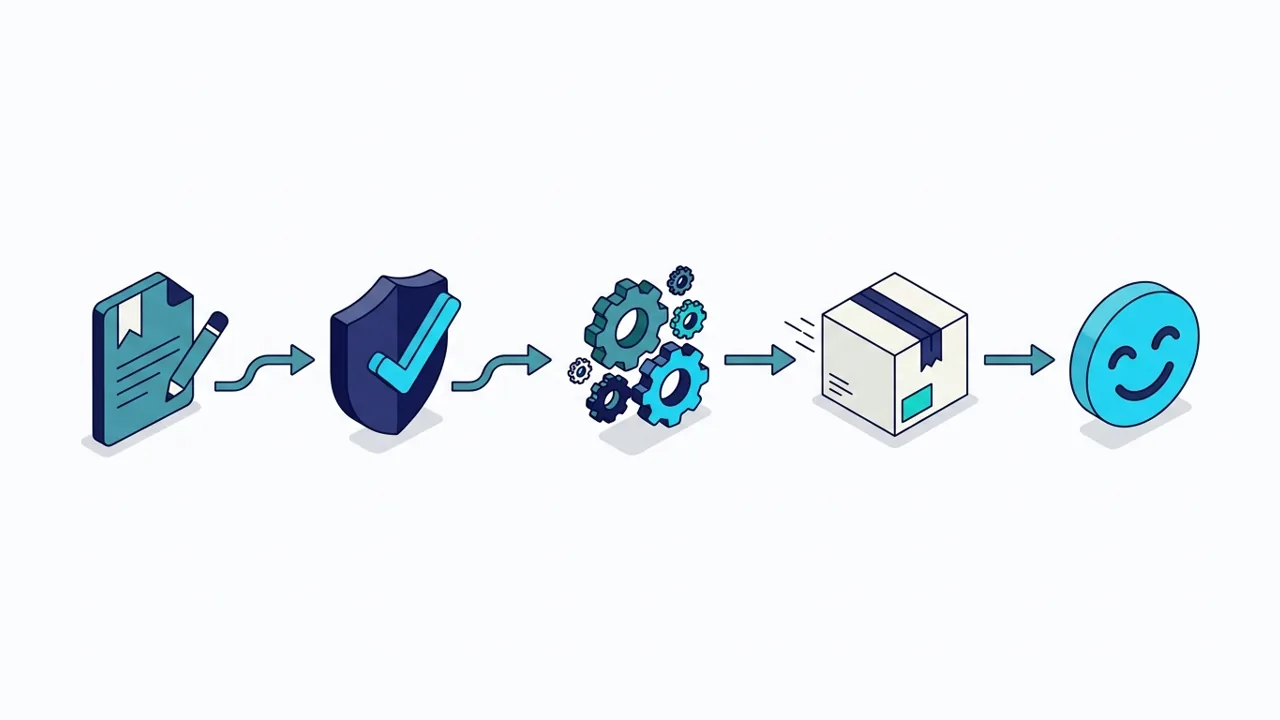
Request lifecycle diagram: request, approval, fulfilment, delivery and a satisfied user

What belongs in a service catalogue?

The service catalogue is the list of services IT provides, each with a fulfilment procedure, an owner, the approvals it needs and an SLA users can see when they submit. Most IT catalogues cover four families:

FamilyExample items
Access and identityNew starter account, access rights change, role assignment, account unlock, leaver
Hardware and equipmentLaptop, smartphone, screen and peripherals, replacement device
Software and licencesSoftware installation, licence assignment, application access, subscription
IT services and infrastructureVPN access, shared mailbox, distribution list, cloud resource, network access

How big should it be at launch? Smaller than most teams think:

StageScope
LaunchThe most requested items only, typically 15 to 25, each with a tested procedure and an SLA the team can keep
ExtendNew items added when ticket data shows a recurring request handled by email or phone
MaintainA quarterly review: retire unused items, update procedures, check SLAs against reality

If the team cannot commit to a fulfilment time, the item is not ready to publish. An accurate catalogue of twenty items does more for adoption than a complete catalogue where half the procedures are out of date.

Why self-service portals fail (and how to fix adoption)

The catalogue speaks IT, not user

Categories follow how IT is organised, not what users look for. Nobody searches "end-user asset lifecycle" when they need a new laptop.

Forms ask too much

Long static forms ask for information users do not have. Dynamic forms that ask only what is needed, step by step, get completed.

No visibility after submission

When users cannot see where their request stands, they follow up by email or phone, and the portal loses its purpose.

Nobody maintains it

Items pile up, procedures go stale, SLAs slip and users return to informal channels. Self-service is a service design and governance job, not a tool setting.

Knowledge management

How SMC Consulting implements your request process

Request management is as much service design as platform configuration. We configure it natively in the tool your team already uses, on any of the 10 ITSM platforms we work on; when a tool change is on the table, HaloITSM is our pick for most mid-sized organisations. Our advice is independent. If you choose HaloITSM, we can also supply the licences as its certified partner, and we tell you so up front.

Service catalogue design

Items defined, structured and prioritised with IT stakeholders, written in the users' words, each with an SLA, approval chain and fulfilment procedure.

Self-service portal

Logical categories, dynamic forms, clear status and mobile access. Adoption follows usability, not internal communication campaigns.

Self-service portal

Approval workflows

Multi-level approvals in the platform with timeouts, escalation and an audit trail, instead of email threads that nobody answers.

Fulfilment automation

Directory provisioning, endpoint management, identity and cloud integrations: every automated step is one less manual task.

ITSM automation

Link to asset management

Hardware and software delivered through a request create or update the asset record at fulfilment, not weeks later by hand.

IT asset management

Reporting and improvement

Fulfilment time per item, SLA breaches, approval bottlenecks and most requested services, reviewed to decide what to automate next.

The service request lifecycle in 6 stages

From the user's click to the closed record. Each stage is a configuration choice in the tool; leaving it on default is where most request processes start to drift.

  1. Submission

    The user picks an item in the catalogue; a dynamic form collects exactly what fulfilment needs, in plain language.

  2. Validation and routing

    The request is checked, classified and routed: standard items go straight to fulfilment, others to the right approver.

  3. Approval

    Manager, security or finance approval where needed, with timeouts and escalation configured in the platform.

  4. Fulfilment

    The documented procedure is followed, automated where possible, assigned to the right team with the SLA clock running.

  5. Notification and confirmation

    The user is updated at each stage and confirms that the request has been fulfilled.

  6. Closure and reporting

    A complete record feeds the reports that show which items to improve or automate next.

Portal nobody uses, or approvals stuck in mailboxes?

In a free 30-minute audit, a senior consultant reviews your catalogue, portal and request workflows with you and leaves you with your three priorities.

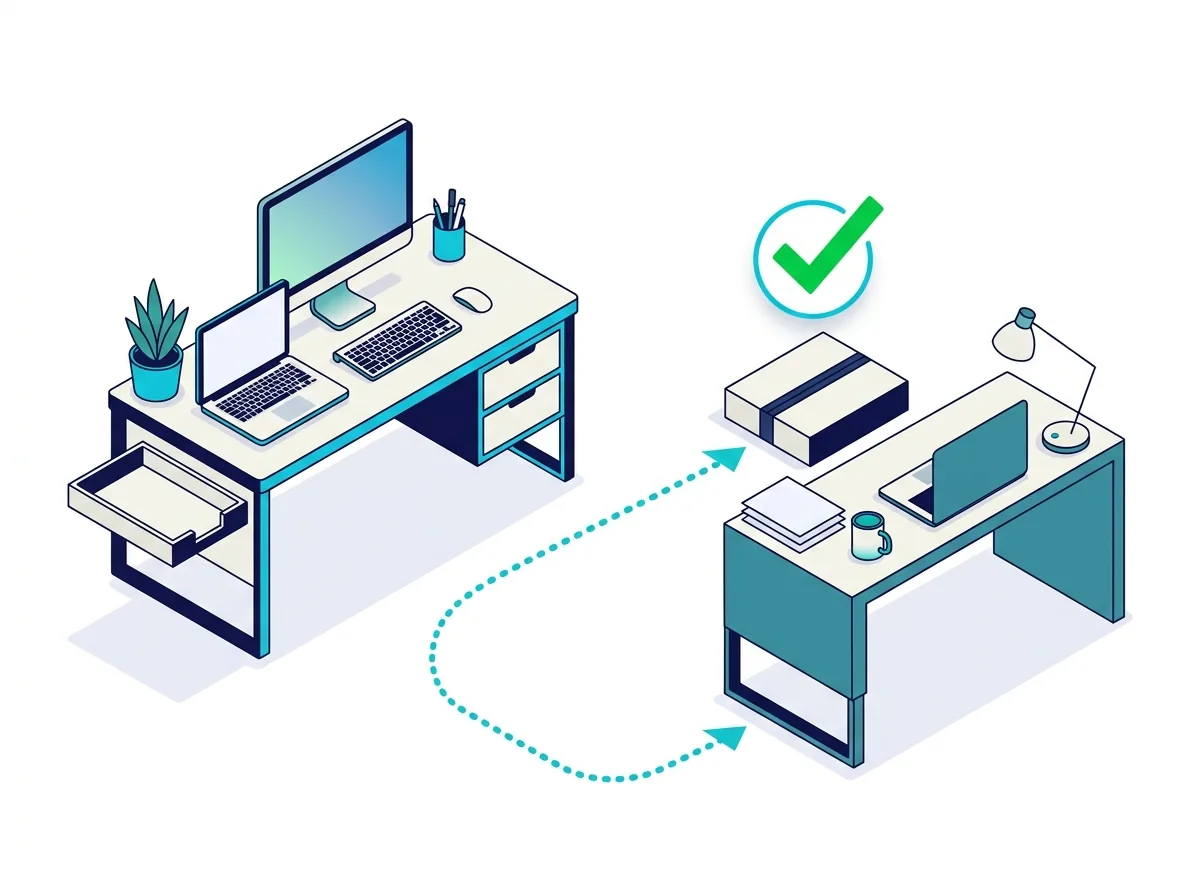
New laptop delivered to a user's desk with a green check mark and a clear IT queue

What changes for users and for IT

  • One place to ask for anything IT provides, with the expected delivery time shown upfront
  • Requests that arrive complete, without back-and-forth
  • Approvals that happen in the tool, with a trace
  • Incidents and requests in separate queues, each meeting its own SLA
  • Less manual fulfilment for the service desk
  • Figures that show what users ask for and where time is lost

Automation and AI for requests

Automate the fulfilment

Account creation, access rights, software deployment and notifications are the first candidates. Fix the procedure, then automate it.

ITSM automation and orchestration

AI at intake

AI classifies requests, spots missing information before submission and answers routine status questions on chat or voice.

AI for ITSM

Beyond IT

The same catalogue model works for HR, facilities and finance requests once the IT catalogue runs well.

Enterprise service management

Who this is for

Service desk managers

Whose team spends its days on repetitive requests that arrive incomplete through email and phone.

IT managers and CIOs

Who want predictable delivery times and a clear view of what the business asks IT for.

Process and catalogue owners

Who need a catalogue, approvals and SLAs that stay accurate after go-live.

Service request KPIs

KPIWhat it tells you
Fulfilment time per itemThe average time from submission to completion, measured per catalogue item rather than as one global average.
SLA complianceThe share of requests delivered within the committed time; a persistent gap means the SLA, the staffing or the approvals need work.
Self-service adoptionThe share of requests submitted through the portal rather than email or phone.
First-time fulfilmentRequests delivered without rework or a clarification round; a low rate points to forms that miss information.
User satisfaction (CSAT)How users rate the experience at closure: the indicator business stakeholders see first.

For definitions and dashboard examples, see our guide to service desk KPIs.

Service request management: frequently asked questions

What is the difference between a service request and an incident?

An incident is an unplanned disruption that needs triage and diagnosis. A service request is a predefined need the IT team fulfils routinely, with a path known in advance. Handling both in the same queue degrades both. See incident management for how the two connect.

What is a service catalogue and why does it matter?

The structured list of services IT provides, each with a fulfilment procedure, an SLA and an approval chain. Without it, every request is handled ad hoc and users have no reference for what IT can do for them. A published, maintained catalogue is also the main driver of portal adoption.

What is the right size for a service catalogue at launch?

Start with the most requested items, typically 15 to 25, each with a tested procedure and an SLA the team can keep. Add items when ticket data shows a recurring request arriving outside the portal. Accuracy matters more than coverage.

How do we increase self-service portal adoption?

Make the portal faster and easier than sending an email: items users find in a couple of clicks, short forms, and a status they can follow without asking. Then keep the catalogue accurate. If the portal takes more effort than the alternatives, no communication campaign will fix adoption.

How does automation reduce IT workload in service request management?

By removing manual steps from high-volume, low-complexity requests: account provisioning, access rights, software deployment, licence assignment and notifications. Each automated step frees time for higher-value work. Read more on ITSM automation and orchestration.

How does service request management connect to IT asset management?

Hardware and software delivered through a request should create or update the asset record at the moment of fulfilment. Platforms that link requests and assets natively make this automatic. See IT asset management.

How long does it take to implement a service request process?

It depends on the number of catalogue items, the approvals and the integrations. A core catalogue, portal and approval workflows come first; fulfilment automation and directory integration follow. The two-week diagnosis of our method gives you a dated plan based on your own ticket data.

Do you work only with HaloITSM?

No. We configure request management in the tool you already use, on any of the 10 ITSM platforms we work on. HaloITSM is our pick when a tool change is on the table.

IT requests are predictable. Your fulfilment process should be too.

Book your free 30-minute ITSM audit. A senior consultant reviews your catalogue, portal and workflows with you and leaves you with your three priorities.