✍️ Written by Emmanuel Yazbeck
ITSM Consultant | 15+ years experience | Certified ITIL4 Practitioner
Published: February 26, 2026 | Last Updated: February 26, 2026
Estimated reading time: 15 minutes
Key takeaways
- Agentic AI in ITSM is moving from theory to practice, enabling autonomous service desk agents that can understand context, plan multi-step workflows, and act across tools with minimal human input.
- In 2026, service desk automation will be defined by deep shift-left, tight integration with observability, and persona-based self-service experiences powered by AI agents.
- Platforms like HaloITSM AI and ServiceNow AI agents are converging on an agentic model, where data, workflows, and decisions are orchestrated toward clear service outcomes.
- Robust automated fulfillment governance—covering risk classification, human-in-the-loop controls, and auditability—is essential to keep autonomy safe and compliant.
- A practical roadmap starts with high-volume, low-risk use cases, supervised automation, and strong metrics, then scales toward broader autonomy and measurable service desk value.
What is agentic AI in the ITSM context?
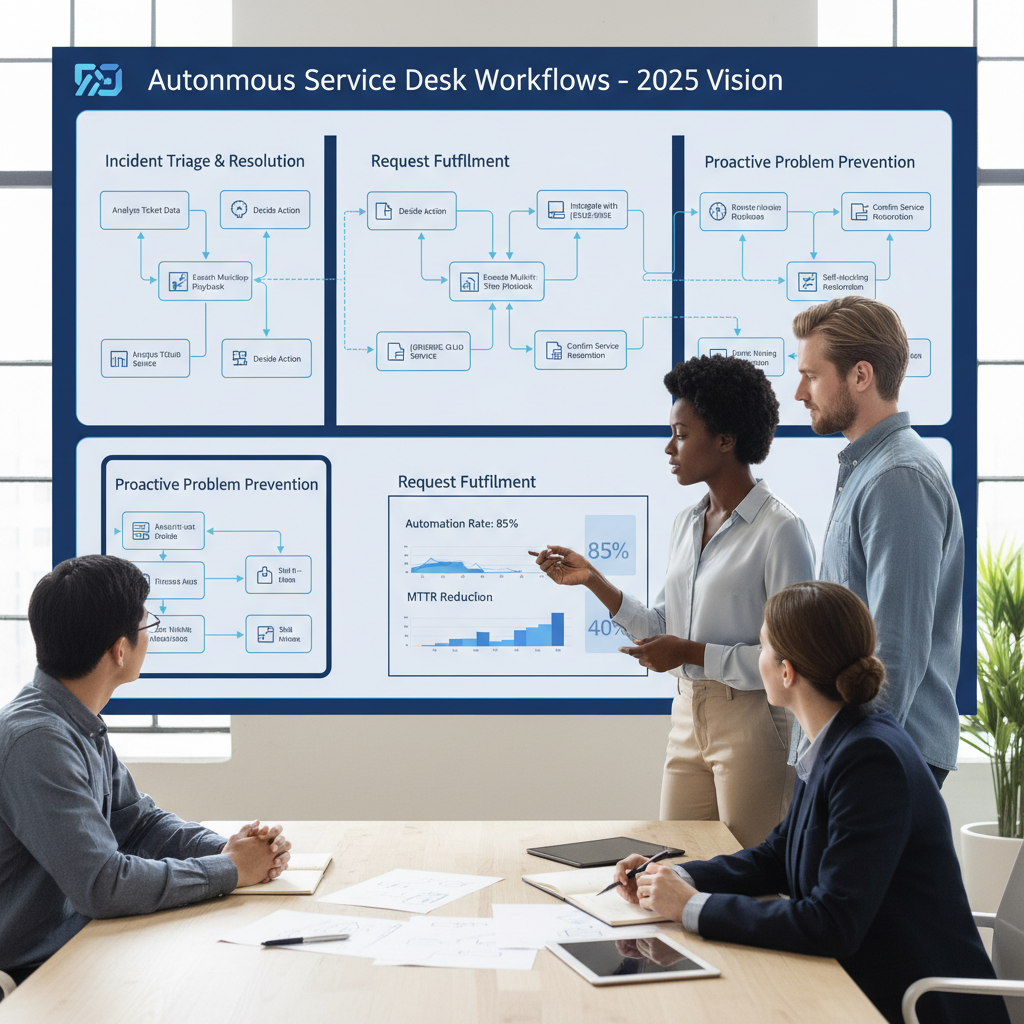
Agentic AI ITSM is rapidly moving from vision to reality, with autonomous service desk agents set to transform operations in 2026. In this model, AI systems can understand tickets, logs, and configuration data, decide on the best course of action, and then execute multi-step workflows with minimal human help. This is a major shift from static chatbots or simple, rule-based automation.
As ITSM leaders look ahead to service desk automation 2026, they need to understand what this new model can do, where the risks lie, and how to build the right foundations now. This includes how they benchmark tools and select platforms, for example by using structured ITSM vendor evaluation criteria when comparing solutions that offer agentic AI ITSM capabilities.
In ITSM, agentic AI is a class of AI systems that are explicitly goal-driven. Instead of just following a script, an AI agent is given an outcome such as *“restore this degraded service,” “fulfill this password reset request,” or “prevent a looming incident.”* It then plans and executes the steps needed to achieve that outcome across your ITSM tools and integrated systems.
According to industry descriptions of agentic AI for IT operations, these agents can perceive their environment (tickets, logs, CMDB, monitoring), decide on a strategy, and then act autonomously, with minimal human input, to complete multi-step tasks such as incident resolution or access provisioning. They move well beyond static FAQ chatbots or robotic process automation that simply clicks through predefined screens.
Core traits of agentic AI ITSM
- Goal orientation
Instead of “If X, then Y” rules, agents are told *what* to achieve, not *how* to achieve it. For example, “restore VPN access for this user” might lead an agent to validate identity, check group membership, update firewall rules via an API, verify connectivity, and then close the incident. - Context awareness
The agent maintains a working model of the situation. It can read ticket descriptions, user profiles, past incidents, CMDB records, and monitoring alerts. Based on this, it chooses the right playbooks or remediation options. - Multi-step action chaining
A typical interaction might look like this:- Read an incident about “email not working.”
- Query mail server and network logs through APIs.
- Check service health metrics from monitoring.
- Run a pre-approved remediation script (restart a service, clear a queue).
- Verify that key metrics and synthetic checks are back to normal.
- Update the ticket with findings, steps taken, and current status.
- Notify the user and request confirmation before final closure.
- Continuous feedback and adaptation
Unlike RPA, which breaks when a UI or flow changes, agentic AI observes outcomes and adjusts. If a fix fails, it may try an alternate remediation path or escalate to a human. Over time, it can learn which playbooks deliver the best results for specific patterns.
How agentic AI differs from chatbots and RPA
This makes agentic systems very different from traditional chatbots or RPA:
- Chatbots usually:
- Answer simple FAQs.
- Surface knowledge articles.
- Collect basic details before handing off to humans.
- RPA usually:
- Follows tightly scripted, deterministic actions.
- Operates on brittle UI interactions.
- Struggles in ambiguous or changing conditions.
By contrast, agentic AI ITSM agents can coordinate conversational interfaces, workflow engines, and integrations to handle complex, end-to-end tasks. For example, a proactive agent may detect a pattern in monitoring data that often leads to an outage, open an incident automatically, run diagnostic scripts, apply a preventative fix, and document everything without a single manual step.
In short, agentic AI is not just *“smarter chatbots.”* It is a new way of running ITSM where autonomous agents understand goals, orchestrate actions across tools, and continuously adapt to keep services healthy. To make this work in practice, you need a solid IT service management foundation with clear processes, SLAs, and data quality that an AI agent can rely on.
Agentic AI and the service desk – practical use cases
While the underlying technology is sophisticated, the most valuable impacts show up in familiar service desk scenarios. AI agents service desk capabilities map naturally to core ITIL processes: incident management, request fulfillment, knowledge management, and configuration or asset management.
Incident management use cases
Agentic AI can transform how incidents are handled from the moment a ticket arrives:
- Automated triage and routing
- Analyze ticket text, attachments, screenshots, and logs.
- Classify incident category, impact, and urgency based on patterns.
- Identify the probable affected service or CI from the CMDB.
- Route to the right team or queue automatically.
- Diagnosis and resolution suggestions
- Compare the incident with historical tickets and known error records.
- Propose likely root causes and best-practice remediation steps.
- Surface relevant KB articles or past work notes inside the ticket.
- Automated remediation for standard patterns
- For frequent, well-understood issues (e.g., a crashed application service, full disk, stuck batch job), trigger approved remediation scripts.
- Validate results via monitoring data before closing or downgrading the incident.
For example, when a web application shows slow response times, an AI agent might collect logs from web and database tiers, spot a recurring connection error, restart a specific service, re-check performance metrics, and then update and resolve the incident—while still escalating to humans if any step fails or falls outside its guardrails.
Request management and automated fulfillment
Agentic AI is particularly powerful for request fulfillment, where standardized patterns are common. Here, automated fulfillment can be safe and highly effective:
- Password reset and account unlock
- Verify the user using MFA, HR data, or security questions.
- Reset the password in Active Directory or Azure AD.
- Enforce password policies and log all actions.
- Confirm via email, portal, or chat, and close the request.
- Standard software and access provisioning
- Check role and department to confirm eligibility.
- Decide whether an approval is needed; if so, request it automatically.
- Once approved, add the user to relevant AD groups or SaaS roles.
- Update asset or license records and the CMDB.
- Notify the user with install or access instructions.
- Network or VPN access
- Validate that the request matches defined profiles (e.g., remote employee).
- Create or update VPN profiles, firewall rules, or group memberships via APIs.
- Guide the user through setup with conversational prompts.
In these flows, AI agents service desk capabilities let the system handle end-to-end fulfillment with minimal friction, while still respecting approvals and security policies.
Knowledge, CMDB, and asset updates
Agentic AI can also reduce the friction of keeping knowledge and configuration data accurate:
- Knowledge management
- After an incident is resolved, generate a draft knowledge article based on ticket history and work notes.
- Suggest updates when runbooks or scripts change.
- Flag duplicate or outdated articles for consolidation or retirement.
- CMDB and asset management
- When fulfilling requests or resolving incidents, update related CIs automatically with new owners, relationships, or state changes.
- Record which services or components were touched during remediation for better impact analysis later.
Shared work between humans and AI
Despite their power, AI agents do not eliminate the need for human analysts. Instead, they change roles:
- AI handles:
- High-volume, low-risk, repetitive tasks.
- First-line triage, diagnostics, and straightforward fixes.
- Drafting responses and documentation for human review.
- Humans focus on:
- Ambiguous, high-impact, or sensitive situations.
- Designing and tuning workflows and guardrails.
- Problem management and long-term improvements.
With clear escalation paths and confidence thresholds, agentic AI ITSM augments, rather than replaces, the service desk team.
Service desk automation 2026 – what will change
In 2026, service desk automation will look very different from today’s largely reactive, ticket-centric operations. Several shifts will define this new operating model.
Extreme shift-left and always-on support
First, expect a deep “shift-left”:
- Most L0 and a large portion of L1 interactions are handled directly by AI agents via portals, chat, or proactive actions.
- Many incidents are prevented or resolved before an end user ever opens a ticket, because agents act on monitoring signals and patterns early.
- 24/7 coverage becomes standard, as AI agents do not need shifts or breaks and can scale during demand spikes without long queues.
This means that common issues—passwords, basic connectivity, standard application problems—rarely land on a human agent’s desk. Instead, humans focus on L2/L3 incidents, complex changes, and cross-team coordination.
Deep integration with observability and monitoring
Service desk automation 2026 will also be tightly coupled to observability:
- Monitoring tools send rich telemetry and alerts to AI agents.
- Agents correlate alerts with recent changes, deployments, or known issues.
- Proactive tickets are created and resolved by agents without waiting for user reports.
- For persistent patterns, agents trigger problem management workflows, not just repeated incident remediations.
This pattern shifts ITSM from a “call and fix” model to an adaptive, intelligence-driven one, where the system actively keeps services healthy.
Persona-based self-service and vendor workflows
Self-service portals and virtual agents will become smarter and more tailored:
- Portals are personalized for roles such as developers, sales, or HR staff, with relevant service catalogs and recommendations.
- Conversational interfaces understand context—recent tickets, current location, device type—to guide users quickly.
- ITSM vendors increasingly ship pre-built agentic workflows (for common incidents and requests), reducing the need for custom development.
The combination lets organizations adopt agentic AI ITSM much faster, using vendor-provided templates that can be tuned to local policies and tools. If your strategy is to use a self-service portal as the primary front door for AI-driven interactions, understanding self-service portal ROI and design principles will help you maximize the impact of autonomous agents on L1 ticket reduction.
Impact on performance and staffing
This evolution will bring measurable changes:
- MTTR drops sharply
Automated triage, diagnostics, and remediation cut waiting and handling time. Incidents resolve faster because agents can act instantly and in parallel, not just during business hours. - Ticket volumes fall or shift in shape
As AI resolves many issues proactively or at first contact, raw ticket volume drops in some categories. Remaining tickets are more complex, requiring deeper expertise. - Self-service adoption rises
When self-service channels are conversational, accurate, and quick, users prefer them over phone or email. This strengthens the shift-left effect. - Staffing models evolve
Large L1 teams become less necessary. New roles emerge around automation engineering, AI product ownership, and continuous improvement. Existing analysts move up the value chain, handling complex incidents, working on problem management, or designing and supervising automations.
In other words, service desk automation 2026 is not primarily about headcount reduction. It is about using AI to take over repetitive work so human experts can focus where they create the most value.
Vendor examples – HaloITSM AI and ServiceNow AI agents
To make these concepts concrete, it helps to look at how major platforms are evolving. Two important examples are HaloITSM and ServiceNow, both of which are moving toward agentic AI ITSM capabilities.
HaloITSM AI – modern ITSM with emerging autonomy
HaloITSM is a modern ITSM platform that covers the full spectrum of processes: incident, request, problem, change, asset, and more. While its AI features are still developing compared to some hyperscale vendors, the trajectory is clear.
Typical and emerging HaloITSM AI capabilities include:
- AI-based classification and routing
- Automatically categorizes incoming incidents and requests.
- Suggests the right assignment group or agent based on content and history.
- Suggested responses and resolutions
- Proposes draft replies using previous successful tickets and knowledge articles.
- Helps agents respond faster while maintaining consistency and quality.
- Automatic handling of low-risk scenarios (emerging)
- For simple access requests or known issues, workflows can be triggered without human intervention, once guardrails are in place.
- Scripts or orchestration tools can be integrated so that the platform not only logs the ticket but also runs the fix.
To prepare a HaloITSM environment for deeper agentic capabilities, ITSM leaders should focus on three foundations:
- Data hygiene
Clean and consistent categories, services, and CI records.
Accurate and up-to-date knowledge base content.
Clear mapping between tickets, services, and CIs. - Standardized service catalog
Well-defined request types with clear inputs, approvals, and fulfillment steps.
Distinction between low, medium, and high-risk request types. - Automation-friendly workflows
Incident and request workflows that are explicit and structured, making it easy for AI to trigger specific steps.
Integrations and scripts that can be called via APIs rather than manual steps.
Without this groundwork, even advanced HaloITSM AI features will struggle to deliver consistent, safe outcomes. You can go deeper into HaloITSM automation patterns and how agentic AI can leverage the HaloITSM API for advanced orchestration to execute multi-step fixes across your environment.
ServiceNow AI agents – combining virtual agents and orchestration
ServiceNow sits at the high end of ITSM platforms, with a strong focus on automation, integration, and AI. ServiceNow AI agents bring together several capabilities on the Now Platform:
- Virtual Agent
- Conversational interfaces in web, mobile, and chat tools.
- Natural language understanding for requests and incident reporting.
- Predictive Intelligence
- Machine learning models for categorization, routing, and similarity matching.
- Recommendations for next best actions or knowledge articles.
- Automation Engine, Flow Designer, and Integration Hub
- Low-code workflows that automate complex, cross-system processes.
- Robust connectors to enterprise tools (e.g., identity, HR, monitoring, cloud).
When combined, these components support agentic behavior. For instance:
- Chat-to-incident-to-fix-script flow
- The user starts a chat saying “My laptop can’t connect to the VPN.”
- The virtual agent gathers relevant details (location, OS, error messages).
- An incident is created with all context.
- An AI agent triggers a Flow Designer workflow:
- Checks VPN gateway health.
- Validates user group memberships.
- Applies a configuration fix if appropriate (e.g., push VPN profile).
- Confirms connectivity by asking the user and checking logs.
- The incident is updated and closed automatically if resolved, or escalated if not.
- Automated HR/IT request fulfillment
- For equipment, access, or HR-related services:
- Capture the request via chat or portal.
- Validate eligibility and policy conditions.
- Trigger provisioning flows in Integration Hub (e.g., create accounts, order equipment, assign licenses).
- Update the request record and keep the user informed along the way.
Organizations moving from traditional automation to ServiceNow AI agents typically follow a staged path:
- Use Predictive Intelligence to improve routing and categorization.
- Build robust workflows in Flow Designer with clear inputs, outputs, and approval logic.
- Introduce virtual agents for structured self-service interactions.
- Gradually hand more decision-making and execution steps to AI agents, with strong monitoring and human overrides where needed.
In both HaloITSM and ServiceNow, agentic AI ITSM is less about a single “AI feature” and more about orchestrating data, workflows, and decisions in a coordinated, goal-driven way. If you are deciding when to bring ServiceNow into your enterprise ITSM strategy for agentic AI scenarios, it’s worth reviewing where ServiceNow really makes sense in an enterprise ITSM roadmap.
Designing automated fulfillment with proper governance
As autonomy grows, so does risk. That is why automated fulfillment governance must be treated as a first-class concern, not an afterthought.
Automated fulfillment governance is the set of policies, controls, and monitoring practices that determine:
- Which incidents and requests AI agents may fulfill automatically.
- Under what conditions and thresholds human approvals are required.
- How all AI decisions and actions are logged, audited, and reviewed.
- How risks like unauthorized changes or data exposure are prevented.
Without this governance, even a well-designed agentic AI ITSM setup can create problems—such as bypassing segregation of duties, over-provisioning access, or making changes in production without proper review.
Key governance dimensions
Effective automated fulfillment governance typically includes several layers:
- Risk classification
- Classify request and incident types by risk level:
- Low risk: password resets, unlocks, standard software installs, profile updates.
- Medium risk: access to sensitive internal systems, moderate-impact configuration changes.
- High risk: production database changes, firewall changes, high-impact security incidents.
- Define what AI can do on its own at each level:
- Low: full autonomy, subject to logging and simple checks.
- Medium: AI can prepare actions, but human approval is required.
- High: AI may assist with analysis, but execution is human-only.
- Classify request and incident types by risk level:
- Human-in-the-loop policies
- Set clear rules that trigger human involvement:
- When confidence scores fall below a threshold.
- When the action falls outside defined patterns.
- When the combination of systems or data is deemed sensitive.
- Set clear rules that trigger human involvement:
- Auditability and logging
- Every AI decision and action must be:
- Logged with timestamp, context, and rationale where available.
- Linked to the relevant ticket, request, or change record.
- Retained for audits and incident post-mortems.
- Every AI decision and action must be:
Practical governance controls
To make governance real rather than theoretical, organizations can put several practices in place:
- Guardrails and allow/deny lists
- Maintain lists of actions that AI is allowed to perform autonomously:
- Restart non-critical services.
- Add users to low-risk groups.
- Create tickets, tasks, and draft KB articles.
- Explicitly deny or require approval for:
- Schema changes in production databases.
- Changes to network perimeters or privileged accounts.
- Access to regulated or highly confidential data.
- Maintain lists of actions that AI is allowed to perform autonomously:
- Change management for AI workflows
- Treat AI workflows, decision policies, and models as configuration items:
- Version control changes to flows and prompts.
- Test all changes in non-production environments.
- Roll out changes in stages, with pilot groups and rollback plans.
- Treat AI workflows, decision policies, and models as configuration items:
- Monitoring AI performance and safety
- Track key metrics:
- Success rate of automated resolutions.
- Reopen rate of AI-resolved tickets.
- Frequency and reasons for human overrides.
- Review outliers:
- Analyze any “near misses” where AI actions could have caused issues.
- Adjust guardrails or workflows accordingly.
- Track key metrics:
- Security and compliance
- Enforce least privilege for AI service accounts.
- Mask or minimize exposure of sensitive data in prompts and logs.
- Ensure that AI activities align with frameworks like ISO 20000 and information security policies.
Governance should evolve over time. As trust in AI agents grows and metrics improve, you can cautiously widen the scope of autonomous actions, always keeping controls and audits in place.
Implementation roadmap for agentic AI ITSM
Adopting agentic AI is not a single project; it is a journey. A clear roadmap helps you move from experimentation to stable, high-value automation while controlling risk.
Assess readiness
Before turning on autonomy, assess where you stand:
- Process maturity
- Are incident, request, change, and problem processes documented and followed?
- Do you have standard change and standard request definitions?
- Data quality
- Is your CMDB populated and reasonably accurate?
- Is your service catalog clear, with owners and SLAs?
- Does your knowledge base cover the top incident and request types?
- Automation baseline
- Which workflows, scripts, or RPA bots already exist?
- Where are current pain points or manual bottlenecks?
A simple maturity assessment highlights quick wins and areas that must be improved before AI can be trusted to act.
Step-by-step adoption
A practical roadmap might follow these steps:
- Target high-volume, low-risk use cases
Start where the risk is low and the payoff is high:- Password resets and account unlocks.
- Standard software or SaaS access requests.
- Basic connectivity or VPN issues.
Analyze your ticket history to identify the top recurring L1 categories.
- Start with supervised automation
Let AI suggest actions, but keep humans in control initially:- AI drafts responses; agents approve or edit them.
- AI proposes which script to run; humans click “execute.”
Monitor the accuracy of suggestions and gather feedback from agents.
- Move to full autonomy where safe
Once metrics are strong and edge cases understood:- Allow AI to execute predefined automations for low-risk cases without manual approval.
- Keep confidence thresholds and escalation logic in place.
Expand to more channels (portal, chat, email parsing) as confidence grows.
- Integrate platform-specific capabilities
With HaloITSM AI:- Enable AI-based classification and routing.
- Tune suggestion models using quality, up-to-date KB content.
- Introduce fully automated handling for a handful of tightly controlled scenarios, such as standard access requests.
With ServiceNow AI agents:
- Deploy Predictive Intelligence to improve triage and routing accuracy.
- Build robust, reusable flows in Flow Designer for common fixes and requests.
- Integrate external systems via Integration Hub so AI agents can act end-to-end.
- Pilot virtual agent conversations for 2–3 top use cases before scaling out.
- Embed automated fulfillment governance
At each stage, align autonomy with your governance model:- Define risk levels and approved actions.
- Ensure everything is logged and auditable.
- Run regular reviews to adjust scopes and thresholds.
Operating model and people
Agentic AI ITSM also requires changes in roles and skills:
- New or evolved roles
- AI product owner:
- Owns the roadmap for AI agents service desk capabilities.
- Prioritizes use cases with business stakeholders.
- Automation engineer / workflow designer:
- Builds and maintains workflows, integrations, and guardrails.
- Agent coach / AI trainer:
- Monitors AI performance.
- Curates training data and feedback loops.
- AI product owner:
- Training existing staff
- Teach service desk agents how to:
- Review and improve AI-suggested responses.
- Provide structured feedback (“correct,” “incorrect,” “needs more context”).
- Handle escalations coming from AI agents.
- Help managers interpret AI-related KPIs and adjust processes.
- Teach service desk agents how to:
- Continuous improvement
- Hold regular review cycles to:
- Analyze metrics and incidents involving AI.
- Add or modify automations and guardrails.
- Update knowledge and workflows based on real-world outcomes.
- Hold regular review cycles to:
A phased, well-governed approach allows you to realize value quickly while keeping risk within acceptable bounds. For inspiration on concrete workflows that combine classic automation with emerging agentic AI ITSM patterns, you can review ITSM automation tutorials that outline 15 workflows to reduce L1 tickets.
Measuring value and success
To justify investment and guide decisions, ITSM leaders must measure how agentic AI is performing. The right metrics show not only efficiency gains but also user experience and risk outcomes.
Core KPIs for service desk automation 2026
Key measures to track include:
- Auto-resolution rate
Percentage of tickets fully resolved by AI agents without human intervention, broken down by type (incident vs request) and by category. - Mean Time To Resolve (MTTR)
Compare:- AI-resolved tickets.
- AI-assisted tickets.
- Human-only tickets.
Look for reductions in MTTR where AI plays a role.
- First-contact resolution (FCR)
For AI agents service desk interactions, measure how often the issue is resolved in the first interaction (chat/portal), without follow-ups or escalations. - User satisfaction / CSAT
Gather feedback immediately after AI-handled interactions and compare scores with traditional support channels. - Cost per ticket and capacity impact
Estimate the cost reduction from shifting L1 work to AI—reduced handling time and lower need for off-shift staffing—and track how much human capacity is freed for higher-value initiatives. - Error, escalation, and reopen rates
Measure the percentage of AI-resolved tickets that are reopened, how often humans must override or correct AI decisions, and any incidents where AI actions contributed to issues.
Balancing efficiency, experience, and risk
Raw efficiency is not enough. An effective measurement framework also considers:
- Experience-sensitive scenarios
Some interactions—such as sensitive HR issues or major incidents affecting critical services—may warrant human-led handling even if AI could assist. Track whether users feel heard and supported, not just how fast tickets close. - Risk and governance indicators
Monitor:- Number of high-risk actions correctly blocked or escalated.
- Any policy violations detected in AI actions.
- Trends in security or compliance findings related to AI activity.
- Governance reviews
Use KPI data in regular governance forums to:- Decide where to expand or reduce AI autonomy.
- Update automated fulfillment governance policies.
- Identify training or process gaps.
When measurement is built into your operating model, agentic AI ITSM becomes a disciplined, continuously improving capability rather than a set of one-off experiments.
Conclusion and next steps
Agentic AI ITSM marks a step change from static chatbots and isolated RPA scripts toward autonomous AI agents that can perceive, decide, and act across your IT landscape. As service desk automation 2026 approaches, organizations that embrace these capabilities—combined with strong automated fulfillment governance—will unlock faster resolutions, lower operational costs, and better user experiences.
Platforms like HaloITSM AI and ServiceNow AI agents provide practical ways to bring these ideas to life, from intelligent routing and virtual agents to fully automated request fulfillment. To move forward, start with a focused discovery workshop to identify high-volume, low-risk AI agents service desk use cases such as password resets or VPN access. Involve IT operations, security, and compliance stakeholders so governance is built in from day one.
Then, pilot a small set of agentic workflows on your existing platforms, measure results, and refine your approach. From there, you can build a 12–24 month roadmap toward mature, governed service desk automation 2026—one where human expertise and AI autonomy work together to deliver resilient, user-centric IT services.
If you want expert guidance on defining your roadmap, designing safe automations, and getting real value from HaloITSM AI or ServiceNow AI agents, you can learn more and get in touch via SMC Consulting.
About the author
Emmanuel Yazbeck is a Senior ITSM Consultant at SMC Consulting, specializing in ITIL4 implementation, automation strategy, and AI-enabled ITSM operating models across France, Belgium, and Luxembourg. With over 15 years of experience in IT service management, Emmanuel has led ITSM automation and self-service programs for more than 200 organizations, helping them reduce L1 workload and MTTR while improving user satisfaction.
As a certified ITIL4 practitioner and official HaloITSM and ServiceNow advisory partner, Emmanuel combines deep technical expertise with practical, vendor-agnostic guidance. He has designed and deployed workflows that blend classic automation with agentic AI patterns, including proactive incident response, secure access provisioning, and ROI-focused self-service portals.
Need help with AI-powered ITSM? Contact Emmanuel for a free, 30-minute automation and AI readiness assessment.
Frequently asked questions
What is agentic AI in ITSM and why does it matter in 2026?
Agentic AI in ITSM refers to autonomous AI agents that can perceive IT environments, make decisions, and execute multi-step actions across ITSM processes with minimal human input. By 2026, these agents will enable service desks to move from static chatbots and simple routing to proactive, end-to-end incident resolution and request fulfillment that is tightly integrated with monitoring, CMDB, and workflow tools.
How is agentic AI different from traditional ITSM chatbots or RPA?
Traditional chatbots and RPA follow fixed rules or scripts to answer FAQs or automate single tasks. Agentic AI, by contrast, understands high-level goals, chains multiple actions across tools and APIs, adapts to context and feedback, and can act proactively to detect and resolve issues before users are even aware of them.
What are real-world use cases of AI agents in the service desk?
Real-world use cases include automated triage and routing of incidents, end-to-end password resets and access requests, proactive incident creation and remediation from monitoring alerts, drafting and updating knowledge articles after ticket resolution, and updating CMDB entries and asset records as part of changes and fulfillment.
How will service desk automation look in 2026?
In 2026, most L0 and a large share of L1 tickets will be handled by autonomous AI agents that integrate with monitoring, CMDB, and workflow tools. These agents will resolve many issues proactively, significantly reduce MTTR and ticket volumes, and enable human staff to focus on complex incidents, automation design, and continuous improvement.
What is automated fulfillment governance and why is it important?
Automated fulfillment governance is the set of policies and controls that define which ITSM tasks AI agents can perform autonomously, when humans must approve or intervene, and how actions are logged and monitored. It is essential because it prevents unsafe changes, data exposure, and compliance breaches as organizations scale agentic AI across critical IT services.
How do we start implementing agentic AI in our ITSM environment?
Begin by assessing your current process maturity and data quality, then identify high-volume, low-risk use cases such as standard L1 requests. Start with supervised AI suggestions that humans approve or edit, gradually enable full automation for low-risk scenarios under clear guardrails, and leverage built-in capabilities in platforms like HaloITSM AI and ServiceNow AI agents as you scale.
How do we measure the success of agentic AI in our service desk?
Measure success by tracking the auto-resolution rate, MTTR for AI versus human tickets, CSAT for AI interactions, cost per ticket, and escalation or reopen rates. Review these metrics regularly to adjust AI autonomy levels, refine workflows, and update automated fulfillment governance policies.